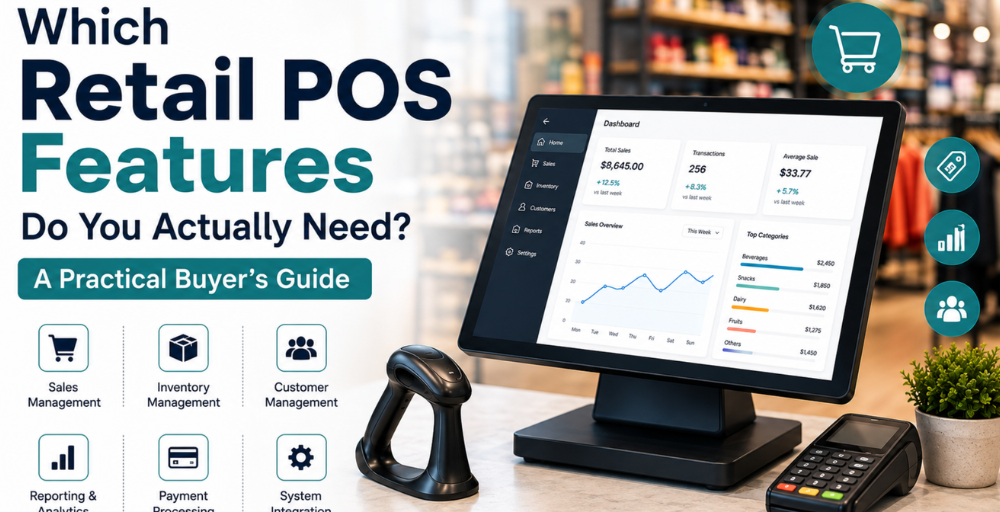
Retailers with varying growth plans, sales channels and functional needs may find it difficult to select the right Retail POS System Features. The best answer is to make transactions easy, enhance visibility into inventory, facilitate customer service, and give valuable data to help retail management.
NetSuite Retail POS software can aid businesses that use NetSuite to integrate retail operations with their overall business operations. Before deciding on a POS solution that will work for their needs, retailers should consider integration, scalability, cloud access, usability and value.
Key Features to Consider When Choosing a Retail POS System
When it comes to picking a POS, it’s more than a matter of comparing features. Retailers need to assess the abilities that they use in their everyday operations, customer service, efficiency and future growth.
1. Identify the Essential POS Requirements
Retailers need to understand their business needs before choosing a POS. With knowledge of the existing problems, how sales work, inventory requirements, and plans, it is easier to determine which features of the Retail Point of Sale system are most applicable and not overlook unnecessary extras.
- Discuss existing operational issues.
- Establish needed sales criteria.
- Discuss inventory management requirements.
- Take into account the number of stores and registers.
- Assess business needs for the future.
2. Prioritise Real-Time Inventory Management
Correct inventory data is crucial to prevent inventory issues and for customer service. A good POS system should offer retailers direct insight into product availability, inventory flow and stock levels throughout their operations.
- Real-time inventory updates.
- Stock transfer and adjustments.
- Product & SKU management.
- Multi-location inventory visibility.
- Low-stock monitoring.
- Returns and exchanges.
3. Improve Checkout Speed and Employee Efficiency
A streamlined checkout process is great for both customers and staff. Retailers need to find a point-of-sale system that lets them easily check out, avoids extra steps, and helps staff check out more rapidly during busy periods.
- Fast product search.
- Barcode scanning.
- Multiple payment options.
- Discounts and promotions.
- Returns and exchanges.
- Simple employee interface.
4. Strengthen Reporting and Business Intelligence
Retailers today require valuable data to gain insight into overall sales and operational opportunities. Effective reporting tools can transform transaction information into practical insights for managers to track performance and make informed decisions.
- Sales performance reports.
- Product performance insights.
- Inventory reporting.
- Store-level comparisons.
- Customer information.
- Employee performance data.
- Real-time dashboards.
5. Evaluate NetSuite Integration Capabilities
If you are already on NetSuite, then integration is a critical factor to take into account when evaluating POS solutions. The Point of Sale for NetSuite helps to minimise duplicate data entry, increase information accuracy and provide smoother integration between retail operations and back-office.
- Link sales transactions to NetSuite.
- Synchronise inventory information.
- Relate customer and product information.
- Increase financial data transparency.
- Minimise data input and errors.
- Facilitate business processes across applications.
6. Support a Connected Omnichannel Experience
Today’s customers are increasingly switching between the online and offline channel on their path to purchase. An effective POS should enable retailers to manage product information, inventory information and customer information at all access points.
- Connected customer information.
- Consistent product data.
- Shared inventory visibility.
- Online and store order administration.
- Click-and-collect support.
- Flexible fulfilment options.
7. Choose a Scalable POS for Future Growth
As the business evolves, a POS must evolve with it. Retailers must determine if the platform can scale beyond the single site, employee, product, transaction, and sales channel they already have.
- Support additional stores.
- Process larger numbers of transactions.
- Handle bigger product inventories.
- Create new users and registers.
- Facilitate other sales methods.
- Accommodate future integrations.
8. Consider Cloud Accessibility and Flexibility
Cloud-based technology can provide more flexibility for retailers to access business information and for managing their business. When evaluating the Best Cloud POS features for NetSuite, businesses should consider accessibility, security, scalability, and compatibility with their existing workflows.
- Browser-based access.
- Real-time information.
- Multi-device compatibility.
- Secure user access.
- Scalable infrastructure.
- Multi-location support.
9. Compare Pricing With Long-Term Value
The total value of the system should be considered when evaluating POS prices. Retailers can gain insight into implementation, support, integration and expansion costs by thinking beyond the initial investment.
- Software costs.
- Implementation expenses.
- Hardware requirements.
- Integration costs.
- Training expenses.
- Support fees.
- Future expansion costs.
Retailers need to look at the total investment when looking into TCS Services POS Price and not just the upfront price.
10. Prioritise Ease of Use and Employee Adoption
POS systems should make everyday retailing easier and not more difficult. A friendly user interface can lessen training demands and enable workers to get accustomed to key activities in much less amount of time.
- Simple navigation.
- Easy product searches.
- Quick transaction processing.
- Minimal training requirements.
- Accessible management tools.
- Reliable technical support.
11. Make the Final POS Selection
Once retailers have evaluated functionality, integration, pricing, scalability and usability, they can narrow down their list of options to those that match their current needs. NetSuite integration should be easy for NetSuite users, and the best POS system should offer robust retail capabilities.
- Compare essential capabilities.
- Review integration requirements.
- Evaluate scalability.
- Take into account the total ownership cost.
- Evaluate the user experience.
- Review implementation and support options.
How to Select the Right POS for Your Retail Business?
No single solution is right for all retailers with regard to POS. The selection of the right one depends on the business model, store network, product range, technology environment and growth plans.
A Best POS system for NetSuite integration should also offer robust retail features and seamless integration with other business tools for NetSuite users.
Before making a final decision, ask:
- Does it address your current business issues?
- Will it work with your existing systems?
- Are inventory data correct and readily available?
- Are checkout procedures efficient?
- Are the reports useful for taking action?
- Will it work with multiple stores and channels?
- Is pricing transparent?
- Is it scalable for growth of the business?
- Does the provider provide consistent implementation and support?
Conclusion
When it comes to picking a POS system, it’s not just about the list of features. Retailers need to focus on functions that enhance checkout efficiency, inventory management, reporting, customer service, integration and overall operational control.
Retailers can make more informed technology investments by assessing the right Retail POS system features against their actual Business needs. The perfect point-of-sale system will make day-to-day operations easier today, but it must also be flexible and scalable to meet future needs.
FAQs
How long does it typically take to implement a retail POS system?
Implementation may take up to several weeks, depending on data volumes, integrations, system requirements and locations. An appropriate premigration evaluation can assist in developing a reasonable timeline.
Can a POS system support different user access levels?
Yes. Today’s POS systems can configure permissions for employees, supervisors and managers depending on their job roles.
Can a POS system help manage returns and exchanges?
Yes. Retail POS solutions can assist in return and exchange procedures, ensuring that employees handle them effectively and consistently, and that sales records are accurate.
Can retailers customise their POS workflows?
Businesses can set up workflows, permissions, products, discounts, reports, and other features based on their specific needs with some POS systems.