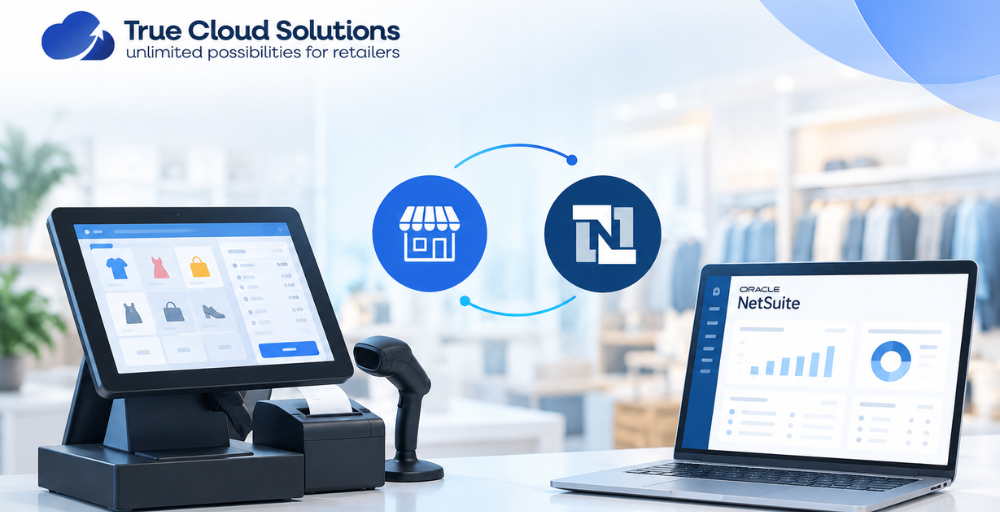
When businesses operate with different systems for front-end transactions and back-office management, dealing with sales, inventory, customer information, and financial operations can become challenging. Integrating your POS solution with NetSuite helps create a connected ecosystem where sales information flows automatically between your store operations and ERP platform. A modern Point of Sale for NetSuite enables businesses to optimize their checkout processes and still keep accurate inventory, customer and order information within NetSuite.
An integrated POS system can enhance the efficiency, accuracy, and visibility of sales data transfer without requiring manual intervention, which streamlines the process and boosts productivity. Cloud-based POS solutions are built to offer real-time availability of sales and inventory data at various locations.
Why Integrate Your POS System With NetSuite?
NetSuite provides a single platform for managing finances, inventory, orders and operations, and a point-of-sale system helps businesses complete transactions and customer interactions efficiently.
When integrated successfully, your POS system integrates smoothly with:
- Sales transactions
- Product information
- Inventory updates
- Customer records
- Payments
- Reporting data
With a properly integrated Point of Sale for NetSuite, businesses can eliminate repetitive manual tasks and ensure that important information remains accurate across all platforms.
Steps to Integrate Your Point of Sale With NetSuite
A successful POS and NetSuite integration requires careful planning and the right technical approach. Follow these key steps to connect your systems and improve business efficiency.
To achieve a successful POS and NetSuite integration, it is important to plan and use the proper technical solution. Here are some important points to keep in mind when integrating your systems and optimizing business operations.
1. Analyse Your Business Requirements
Before starting integration, identify what your business needs from a POS and ERP connection. Consider:
- Number of retail locations
- Type of products sold
- Inventory management requirements
- Payment methods
- Customer loyalty requirements
- Reporting needs
Understanding these requirements helps you select a POS solution that works effectively with your existing NetSuite environment.
2. Select a NetSuite-Compatible POS Solution
Not all POS platforms are capable of being connected to NetSuite. It’s important for the businesses to select a solution that offers dependable synchronisation of data and flexible configuration.
A suitable Point Of Sale for NetSuite should include:
- Real-time inventory updates
- Automated sales order creation
- Customer information synchronisation
- Product catalogue management
- Multi-location support
- Detailed sales reporting
Choosing the right system ensures that your retail operations and ERP processes work together smoothly.
3. Configure Data Synchronisation Between Systems
The next part would be to link the POS data to NetSuite records. In this process, businesses typically set up the flow of information between the two platforms.
Common synchronised data includes:
Product Data
Prices, stock levels and product names/SKUs are able to be synced between systems to ensure consistency.
Customer Information
Customer profiles and purchase history can be moved to aid businesses in understanding purchasing behaviour.
Sales Transactions
Purchase orders are automatically generated when you complete a purchase, which helps to streamline administrative tasks.
4. Customise the Integration According to Your Workflow
Each business requires different types of operations. Some organisations require additional workflows, custom reports or specific automation rules. TCS Netsuite customisation allows businesses to tailor their NetSuite environment to suit their specific processes.
Custom solutions can enhance workflow, automate repetitive tasks, and establish a better linkage between POS activities and business management systems.
Important Features of a Cloud POS Integration With NetSuite
A good integration should have advanced features to accommodate a growing business. Some key features are:
Real-Time Inventory Management
Many of the advantages of integrating POS with NetSuite are related to inventory management. When a customer purchases an item, stock levels can automatically update across connected systems.
Automated Order Processing
Automated generation of sales orders, invoices, and customer records can help minimize manual data entry.
Multi-Store Management
Businesses with multiple locations can monitor sales and inventory performance from a centralised platform.
Sales Analytics and Reporting
Integrated systems give business valuable information on revenue, product performance, and customer trends.
Modern Cloud POS features for NetSuite help businesses create a more flexible and scalable retail environment by connecting store operations with cloud-based ERP management.
Difference Between Point of Sale for NetSuite vs Shopify POS
Businesses often compare ERP-focused POS solutions with ecommerce-focused platforms. While Shopify POS is popular among online retailers, NetSuite-integrated POS solutions are designed for businesses that require deeper ERP connectivity.
ERP-driven POS systems are often compared with ecommerce-driven systems. Shopify POS is widely used by online retailers, whereas NetSuite-integrated POS solutions are made for firms that need more extensive ERP integration.
NetSuite POS Integration
Advantages include:
- Direct connection with ERP processes
- Advanced inventory management
- Centralised financial reporting
- Custom business workflows
- Better support for complex operations
Shopify POS Integration
Advantages include:
- Strong ecommerce capabilities
- Simple online and offline selling
- Easy product management
- Quick setup for smaller retail businesses
To compare NetSuite POS vs Shopify POS features, businesses must take into account the complexity of their operations, reporting needs, stock management, and future expansion plans.
Choosing the Best POS System for NetSuite Integration
Selecting the right solution depends on your business goals and technical requirements. The best POS system for NetSuite integration should offer:
- Reliable API connectivity
- Secure data transfer
- Customisation options
- Real-time synchronisation
- Support for future business growth
Businesses should also evaluate whether the POS provider understands NetSuite workflows and can provide ongoing support after implementation.
How True Cloud Solutions Helps With NetSuite POS Integration?
True Cloud Solutions helps businesses connect their POS systems with NetSuite through customised integration solutions designed around their operational needs. With expertise in NetSuite workflows and retail technology, they help create smoother data flow, better automation, and improved business efficiency.
Key benefits include:
- Create POS solutions that match your business needs.
- Sync sales, inventory, and customer data with NetSuite.
- Reduce manual work with simple automation.
- Keep stock information accurate and updated.
- Get clear insights into sales and operations.
- Use a flexible Point of Sale for NetSuite solution that grows with your business.
Conclusion
Integrating your POS system with NetSuite is an important step for businesses looking to improve accuracy, automation, and operational visibility. The right integration helps eliminate disconnected systems and creates a smoother flow of information between customer transactions and back-office management.
Whether you operate a single store or multiple locations, choosing a scalable POS solution with NetSuite compatibility can help your business manage growth more effectively.
FAQs
Why should a POS system be integrated with NetSuite?
Integrating your POS with NetSuite can reduce manual data entry, improve inventory accuracy, simplify order management, and keep important business information synchronised.
How does Point of Sale for NetSuite integration work?
A POS system is connected with NetSuite so important information such as sales, products, customers, orders, and inventory can move between both systems efficiently.
Can NetSuite POS integration improve inventory management?
Yes, integrating your POS with NetSuite can help keep inventory information updated when sales occur, giving businesses better visibility into available stock across locations.
Can a NetSuite POS integration be customised?
Yes, the integration can be customised based on your business processes, data requirements, POS platform, NetSuite configuration, reporting needs, and the way your teams manage daily operations.
Can True Cloud Solutions customise NetSuite for different business requirements?
Yes, we provide TCS Netsuite Customisation services to help businesses adapt NetSuite workflows, processes, and functionality according to their specific operational requirements.