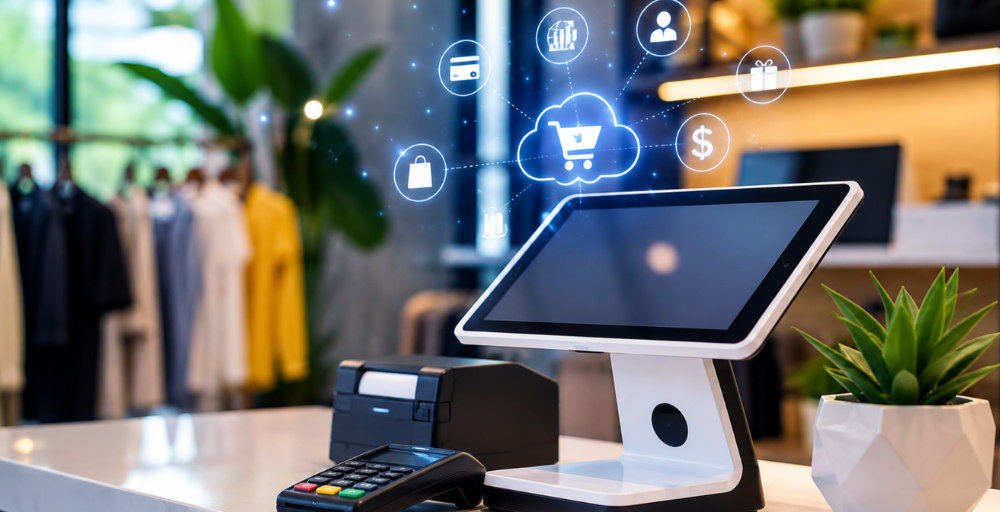
One of the most crucial choices for any retailer is choosing the right point-of-sale (POS) system. A point of sale system can impact sales processes, inventory, customer service, reporting and more. For any enterprise relying on NetSuite, the right choice of a POS system is quite crucial for the smooth functioning and future development of the company.
But there are so many POS systems out there that it’s hard to compare features and capabilities. Product descriptions and feature lists tend to be bare of detail about how the software performs in the real world. This is where POS Demo Videos for NetSuite can be of great value. They enable retailers to witness the software’s functionality and determine if it fulfils their business requirements prior to investment.
Why Choosing the Right NetSuite POS Matters?
A POS system isn’t a cashier device. It is a link between sales, inventory, customer data and business operations. With the right POS system in place, retailers have the potential to optimize their workflow, enhance the customer experience, and boost their visibility into business performance.
However, selecting the wrong system can cause:
- Inefficient processes.
- Inventory inaccuracies.
- Difficulty in integrating with the current software.
- Increased operational costs.
What Are POS Demo Videos?
POS demo videos are visual presentations that demonstrate how a POS system works. They usually showcase certain aspects, processes, interfaces, and connectivity. Rather than just giving written explanations, retailers can observe actual examples of:
- Sales transactions
- Inventory updates
- Customer management
- Reporting tools
- Integration capabilities
These demonstrations offer greater insight into the system’s action in actual retail situations.
Understanding System Functionality More Clearly
A major advantage of watching POS Demo Videos for NetSuite is the understanding of the software’s functionality.
It’s hard to see how features interact when reading about them in brochures or on the internet. Real-life workflows and processes are demonstrated in the form of demo videos, enabling the evaluation of usability and efficiency.
Retailers can easily find out:
- Whether the interface is convenient to use or not.
- The rate at which staff can master the system.
- If the workflows meet or exceed their business requirements.
This aids businesses in making better decisions when it comes to buying.
Supporting Omnichannel Retail Strategies
Many retailers now utilise more than one channel to sell their goods, such as a retail outlet, website, and online marketplace.
It is crucial that an Online POS System for Retail allows for easy omnichannel business operations. Demo videos often highlight features such as:
- Unified inventory management.
- Cross-channel order processing.
- Customer data synchronization.
- Effective pricing and promotions.
When retailers see these capabilities in action, it helps them understand whether the system can meet future needs and changing customer expectations.
Evaluating Integration with NetSuite
One of the key elements for NetSuite users is integration. A system that is not interconnected can lead to duplication of work, report inaccuracies and inefficiency in operation.
These demo videos typically demonstrate interaction with NetSuite, such as:
- Real-time inventory synchronization
- Financial data updates
- Customer information management
- Sales reporting
When these integrations are visible, it gives added assurance that the system is able to effectively support day-to-day business operations.
Seeing Real-World Retail Scenarios
A good POS demonstration is more than a mere explanation of features. It demonstrates the software performance in the retail transactions.
For instance, retailers can monitor:
- Scan and checkout for products.
- Inventory adjustments.
- Customer profile management.
- How to return and exchange.
- Promotional pricing applications.
Retailers are able to learn how the system will work in their stores through these real-life examples.
Assessing Ease of Use
The success of any software implementation is mainly dependent on employee adoption. Even the most sophisticated POS system can present problems when employees are unable to operate it.
If the decision-makers watch demo videos, they can assess:
- Navigation simplicity
- Screen layouts
- Transaction speed
- Accessibility of key functions
Comparing Multiple Solutions More Efficiently
Numerous retailers consider multiple POS systems before choosing one. It can take time to compare all the pages and features.
Demonstration videos make the evaluation process easy by giving instant visual information about each platform.
Retailers can learn more about:
- Feature differences
- Workflow efficiencies
- User experience quality
- Integration strengths
Understanding Reporting and Analytics
For retail, having the right business insights is the key to success. Numerous POS systems include reporting features; however, not all of them are equally good or easy to use.
Here are some detailed looks at demo videos:
- Sales dashboards
- Inventory reports
- Customer analytics
- Performance tracking tools
Retailers can assess the capabilities of reporting to determine if they meet their business and strategic needs.
Reducing Implementation Risks
Investments in software take time and money. Making the wrong choice can result in costly implementation challenges and operational disruptions.
By viewing the POS demo videos for NetSuite, you can minimise these risks by getting a realistic impression of the system before buying it.
Businesses can:
- Identify potential limitations.
- Verify feature functionality.
- Ensure compatibility with the existing processes.
- Set realistic expectations.
Conclusion
Choosing the right NetSuite POS solution becomes much easier when you can see it in action. POS demo videos are a valuable tool for retailers to learn about features, assess usability, and make informed choices that can enhance their operations and long-term growth.
True Cloud Solutions provides fully integrated NetSuite POS solutions that help retailers streamline operations, improve visibility, and deliver smooth customer experiences through reliable cloud-based technology.
Stay ahead of retail innovation and discover smarter business solutions by following us on LinkedIn.
FAQs
1. How can POS Demo Videos for NetSuite help businesses compare different POS solutions?
POS Demo Videos for NetSuite demonstrate features, workflows and integrations to assist retailers in comparison shopping and finding the solution that works for them.
2. What should I look for when watching an Online POS System for Retail demo?
Focus on inventory management, checkout processes, reporting capabilities, customer features, and seamless integration with existing systems.
3. Can demo videos show how a NetSuite POS system handles real-time inventory updates?
Yes, there are lots of demos showing inventory synchronization, which will help retailers to appreciate how they can have inventory visibility and accuracy across stores.
4. Why are POS demo videos important before scheduling a product consultation?
They offer a complete product walkthrough, answer frequently asked questions, and enable businesses to have meaningful conversations.
5. Do POS demo videos help retailers make faster purchasing decisions?
Yes, seeing the software in action improves understanding, reduces uncertainty, and supports confident decision-making processes.